![Horizontal_Logo_60px_black.png]](https://help.mayesh.com/hs-fs/hubfs/Mayesh_Logo/Horizontal_Logo_60px_black.png?height=40&name=Horizontal_Logo_60px_black.png)
If you’re having trouble logging in or forgot your password, you can reset it directly on Mayesh Wholesale Florist’s website.
How to reset your password
-
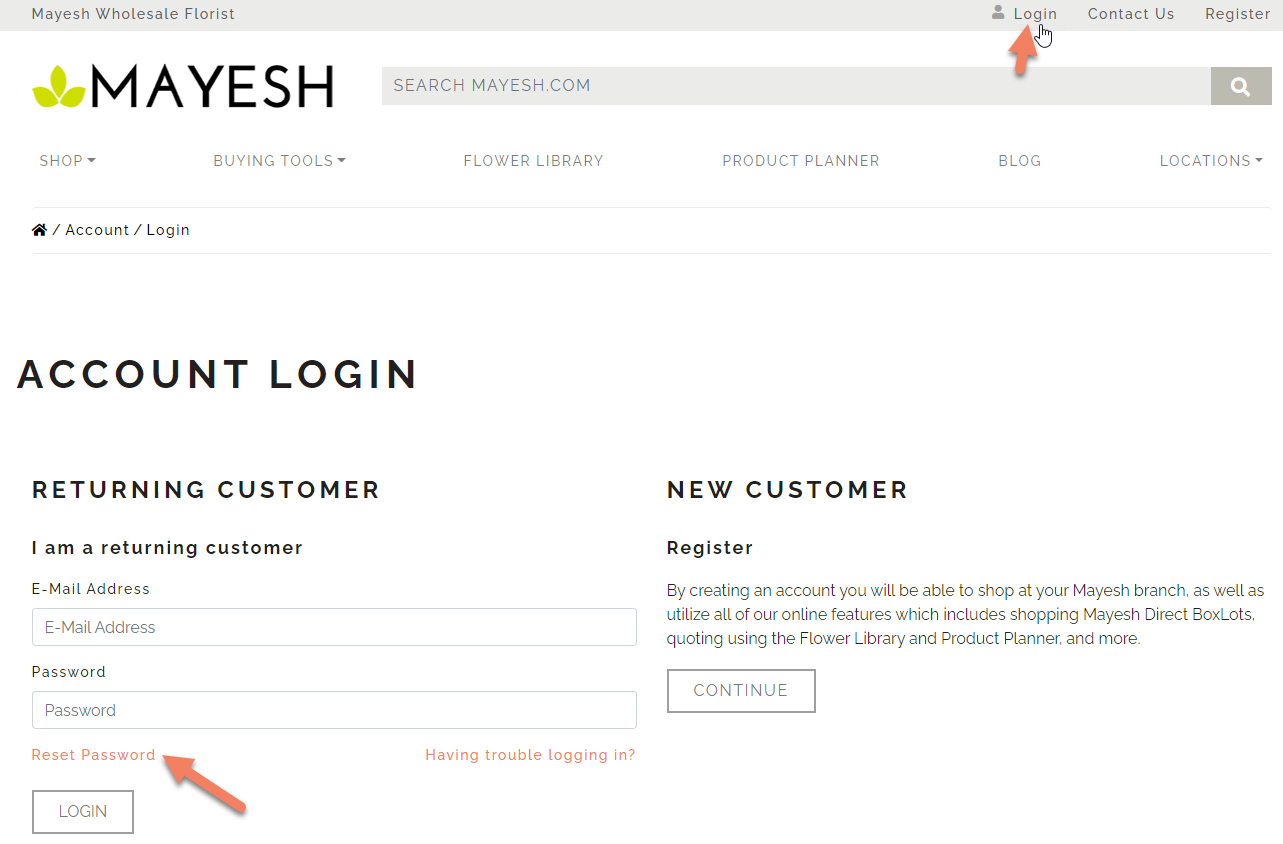
Click “Login” in the top-right corner of Mayesh.com
-
On the Account Login page, select “Reset Password”
-
Enter the email address associated with your account and click “Continue”
-
Check your email for a password reset link
-
Follow the link and enter your new password
Didn’t receive the email?
-
Check your spam or junk folder
-
Make sure you’re using the email address tied to your Mayesh account
If you’re still unable to reset your password, your sales representative or the Mayesh team can help you regain access.