![Horizontal_Logo_60px_black.png]](https://help.mayesh.com/hs-fs/hubfs/Mayesh_Logo/Horizontal_Logo_60px_black.png?height=40&name=Horizontal_Logo_60px_black.png)
You can update the contact email associated with your Petals Rewards account directly from your account page on Mayesh Wholesale Florist’s website.
How Petals Rewards contact emails work
-
Each Petals Rewards account uses one designated contact email
-
This email is used for Petals Rewards notifications and updates
How to update your Petals Rewards email
-
Log in to Mayesh.com
-
Navigate to your account page
-
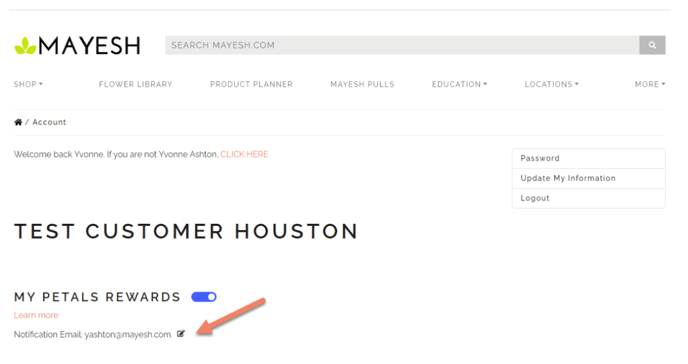
Locate the Notification Email field
-
Update the email address and save your changes
The new email address will be used for all future Petals Rewards communications.
If you need help updating your account information or have questions about notifications, your sales representative can assist.